
9-Point Memecoin Safety Checklist Before You Hit Buy on Padre
The checklist we run on every token page in Padre Terminal to filter out rug pulls and honeypots: Smart Scan, LP lock, dev allocation, top holders, exit plan.
Memecoin safety is not mainly about hacks. Most money lost trading memecoins goes to buying junk tokens. This is the checklist we run in 60–90 seconds on the padre gg token page before every order. No single step is a guarantee, but together they filter out the vast majority of obvious rug pulls.
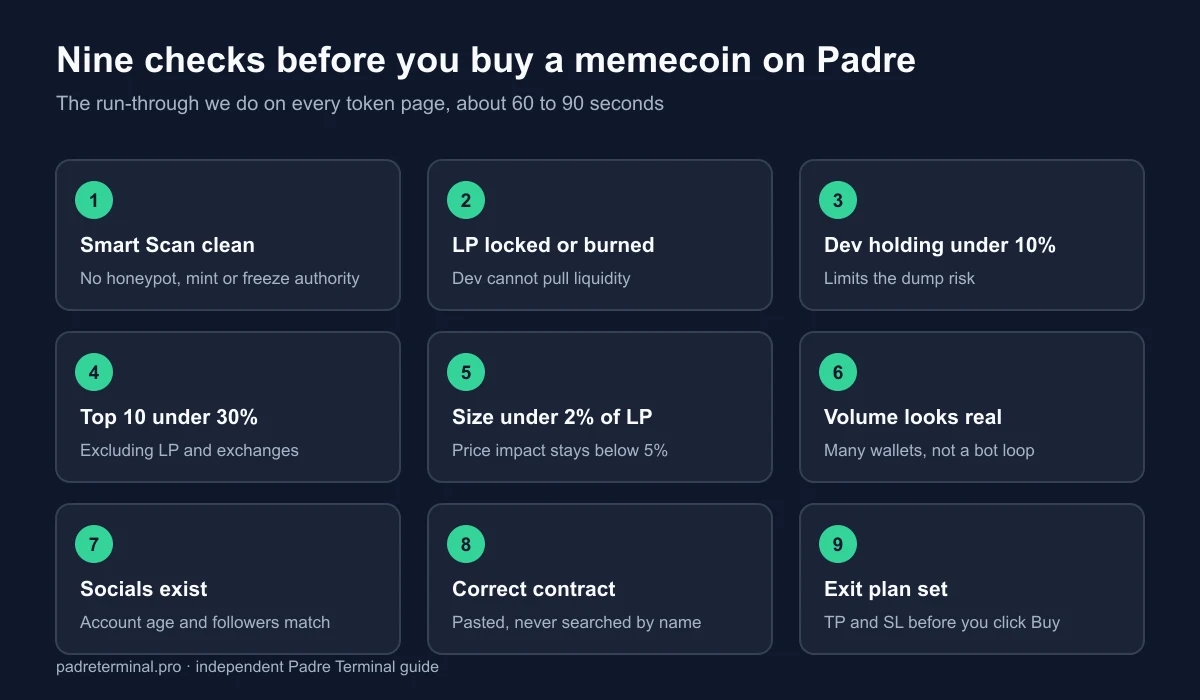
1. Padre Smart Scan shows no red flags
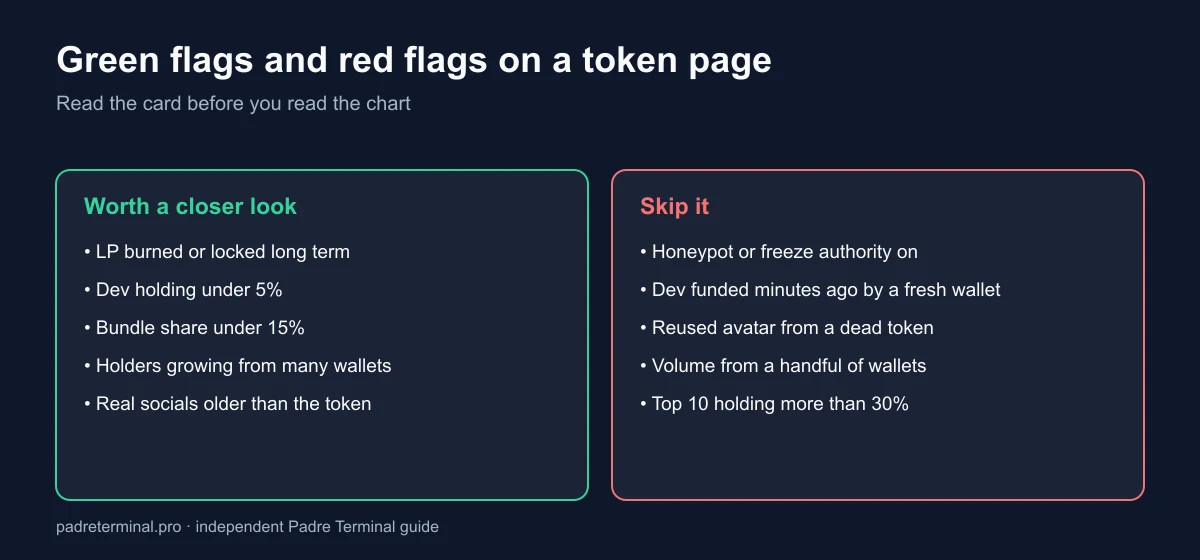
Open the token page and read the Smart Scan block. Watch for honeypot (cannot sell), mint authority still enabled (dev can print more tokens) and freeze authority still enabled (dev can freeze your wallet). Any red flag: skip the token.
Those last two are properties of the token itself rather than anything Padre invents: on Solana a mint keeps an optional mint authority and freeze authority, both documented in the Solana token reference. Padre Smart Scan is reading on-chain state and presenting it quickly, which is exactly why it is worth trusting as a first filter and not as a verdict.
2. Liquidity (LP) is locked or burned
Unlocked LP means the dev can pull all liquidity at any moment. Prefer tokens with burned or long-locked LP. Tokens that graduated from a Pump.fun bonding curve usually have their LP burned automatically, which removes the classic rug but not the risk of a slow bleed from concentrated holders; the stages are explained in padre pumpfun trading.
3. Dev and insiders hold under 10%
Padre shows dev holdings and linked wallets. Dev holdings above 10–15% are a major dump risk. Also check whether the dev wallet has a history of launching dead tokens.
4. Top 10 holders under 25–30%
Open the Holders tab. If a handful of wallets control most of the supply (excluding LP and exchanges), the price is easy to manipulate. Look out for wallets created at the same time with identical balances, a sign of a "bundle".
5. Enough liquidity for your order size
Rough rule: your order should not exceed 1–2% of pool liquidity, or you move the price yourself and slip on the way out. Padre shows price impact right in the order panel; above 5% is a warning.
6. Real volume, not wash trading
Compare 5-minute and 1-hour volume with the number of trades and unique wallets. High volume from a few wallets trading back and forth is usually bot pumping.
7. Socials that actually exist
Click the X, Telegram and website links on the token page. An X account created yesterday with 50 bought followers, or a website that is a meaningless template, is a big minus. Padre's Social Monitor tab shows where the token is being mentioned.
8. The contract is not a renamed copy
Many tokens copy the name and ticker of whatever is trending. Always paste the exact contract address from a trusted source; never search by name.
9. An exit plan before entry on Padre
This is the step most people skip. Before clicking Buy, decide your partial take-profit levels, your stop loss and your maximum size. On Padre, set Take Profit and Stop Loss immediately after the buy fills.
Save this summary: Smart Scan clean → LP locked/burned → dev <10% → top 10 <30% → size <2% of LP → real volume → real socials → correct contract → TP/SL set. Missing any item: reduce size or skip.
What this checklist cannot catch
Being honest about the gaps matters more than adding a tenth step. Nine checks filter out obvious rugs. They do not protect you from:
- A slow bleed. Liquidity burned, dev holdings low, top holders reasonable, and the chart still goes to zero over six hours because nobody new arrives. This is the most common way money disappears, and no on-chain signal predicts it.
- A patient team. Wallets can be split across dozens of addresses funded weeks earlier. Concentration checks see the shape of a bundle, not the intent behind it.
- Your own sizing. A token can pass every check and still cost you more than it should, because you bought three times your plan.
Treat a clean checklist as permission to take a small position, not as evidence the token is good.
A 90-second run-through, in order
The order matters, because each step is cheaper than the one after it. Smart Scan first: it is one glance and it kills most candidates outright. Then holders, because a bundle is visible in two seconds. Then liquidity against your intended size, which decides whether you can leave. Only then the soft signals, socials and volume, which take the longest to judge and are the easiest to fake.
In practice we abandon most tokens at step one or three. The discipline is not in doing all nine, it is in closing the tab when step one fails instead of scrolling down hoping for a reason to buy anyway.
New to Padre? Start with the 8-step setup guide; step 5 is this checklist in short form.
rug pullmemecoinrisk management