Limit Orders, Stop Loss and Take Profit on Padre: Setup and Pitfalls
Step-by-step setup for limit buys, stop losses and multi-level take profits on Padre Terminal, plus why orders miss on thin tokens and how to size around it.
Padre's biggest advantage over a plain DEX is not speed; it is that you can walk away from the screen. Limit buys, stop losses and take-profit ladders run on Padre's side and fire when price hits your level. This guide shows the setup we use and, more importantly, the situations where these orders do not behave the way you expect.
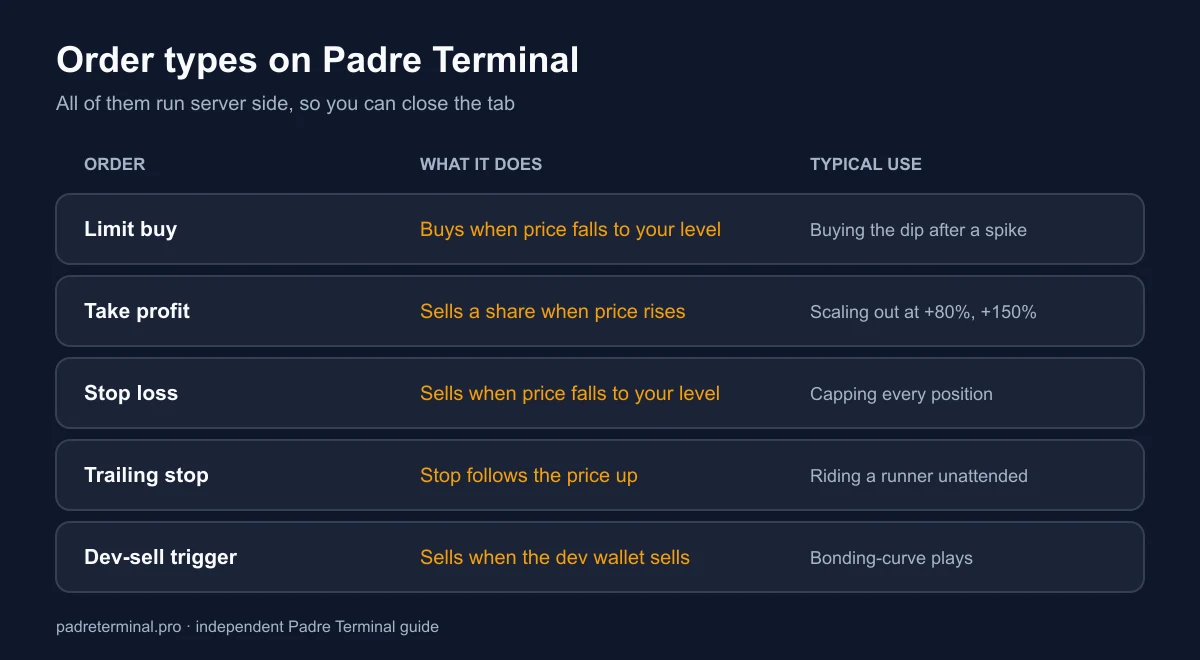
Order types available
| Order | What it does | Typical use |
|---|---|---|
| Limit buy | Buys when price falls to your level | Buying the dip after a launch spike |
| Limit sell / Take profit | Sells a % of position when price rises to your level | Scaling out at +50%, +100%, +200% |
| Stop loss | Sells when price falls to your level | Capping losses on every position |
| Trailing stop | Stop level follows price up by a set % | Riding a runner without watching it |
| Dev-sell / migration triggers | Sells when the dev wallet sells or when a token migrates | Bonding-curve plays on Pump.fun tokens |
Setting orders in 30 seconds
- After a buy fills, open the Orders tab on the token page (or drag on the chart).
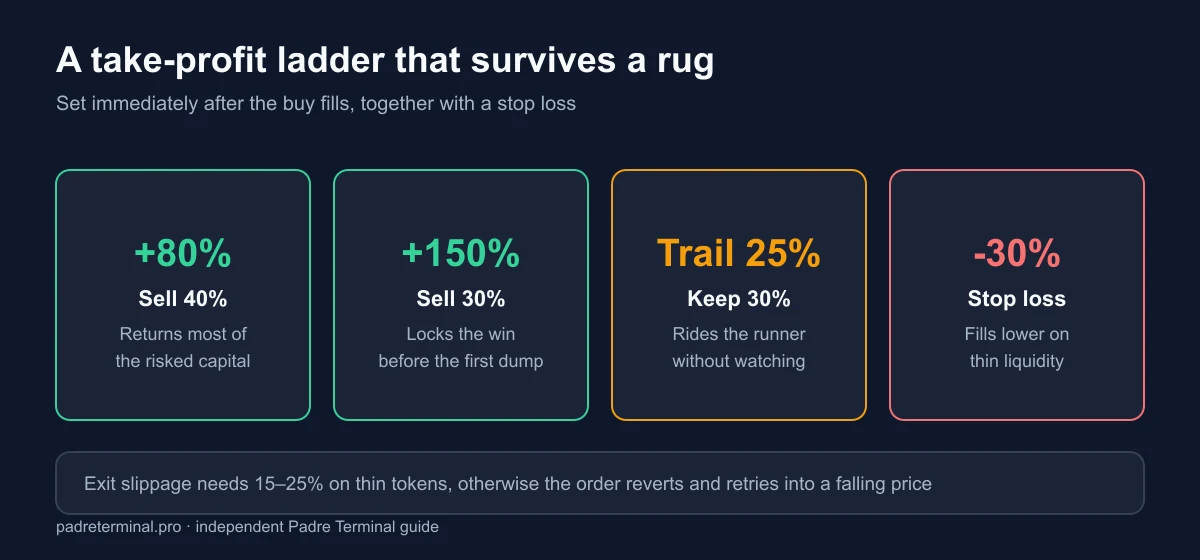
- Add a Stop Loss first. We use -30% on tokens with over $100K liquidity, -40% on thinner ones.
- Add Take Profit levels: for example sell 40% at +80%, 30% at +150%, keep 30% with a trailing stop of 25%.
- Set slippage for the order separately from your buy slippage. Exits on thin tokens need 15–25% or they fail.
- Save. Orders show as lines on the chart; you can drag them later.
Why orders miss on memecoins
These are not exchange orders sitting in a book. Padre watches the price and sends a market swap when your trigger hits. Between trigger and fill, three things go wrong:
- Gap-through. A rug or a large dump moves price from -20% to -70% in one block. Your -30% stop fires and fills at -65%. Nothing on any platform prevents this on-chain.
- Slippage rejection. If the fill would exceed your order slippage, the transaction reverts and Padre retries. On a collapsing token the retries also fail. Use higher slippage on stops than on take profits.
- Congestion. During Solana congestion a Low priority fee can leave your exit unconfirmed for 30+ seconds. Set order priority to Medium or High.
Size so a missed stop is survivable
Because stops can fill far below the level, we size positions assuming the stop fails: never more than 3–5% of trading capital in one thin token. With that rule, a -70% fill on one trade is annoying rather than account-ending.
Common questions
Do orders work when my browser is closed?
Yes. Orders are stored and executed by Padre's infrastructure. Your encrypted key is used server-side only for the pre-authorised order; you do not need the tab open.
Can I edit an order after placing it?
Yes, drag the line or edit in the Orders tab. Cancelling and replacing is instant and free.
Are there fees for placing orders?
No fee to place. When an order fills you pay the normal platform fee plus network and priority fees, and cashback applies.
Do limit buys work on Pump.fun bonding-curve tokens?
Yes, but price on a curve is deterministic and moves fast; limit buys there fill less reliably than post-migration.
Position sizing, slippage and priority defaults are covered in the trading guide. For what each fill costs, see fees and cashback.
limit ordersstop losstake profit